
Project Overview


Replacing 75 corroded steel plates on a pedestrian bridge required more than conventional measurements. Each plate had a unique geometry, with irregular edges and non-standard angles, making accurate reproduction particularly challenging.
I was commissioned to capture their geometry using terrestrial laser scanning and prepare individual CAD drawings for manufacturing.
The contractor removed, numbered and transported the plates to a warehouse, where I carried out the survey.
Project Details
Industry: Bridge Maintenance / Steel Fabrication
Application: Reverse Engineering / Scan-to-CAD
Equipment: RIEGL VZ-400i
Software: RiSCAN PRO / Autodesk AutoCAD
Survey: 75 steel plates / 25 scan positions
Deliverables: 75 individual DWG files
My Role: Survey Planning, Laser Scanning, Point Cloud Processing, Geometric Reconstruction and CAD Production
The Challenge: Capturing Complex and Irregular Geometries
The main challenge was capturing the complex geometries of 75 steel plates, many featuring irregular outlines, non-perpendicular edges and unique shapes.
Some plates also had deformed edges, damaged corners or missing sections caused by deterioration. Even small geometric inaccuracies could lead to fitting problems during installation.
The objective was to accurately capture each plate, reconstruct damaged sections where necessary, and produce reliable CAD outlines for manufacturing.
The scanning strategy also had to ensure clear separation between the plates and the warehouse floor.
Survey Planning and Field Preparation
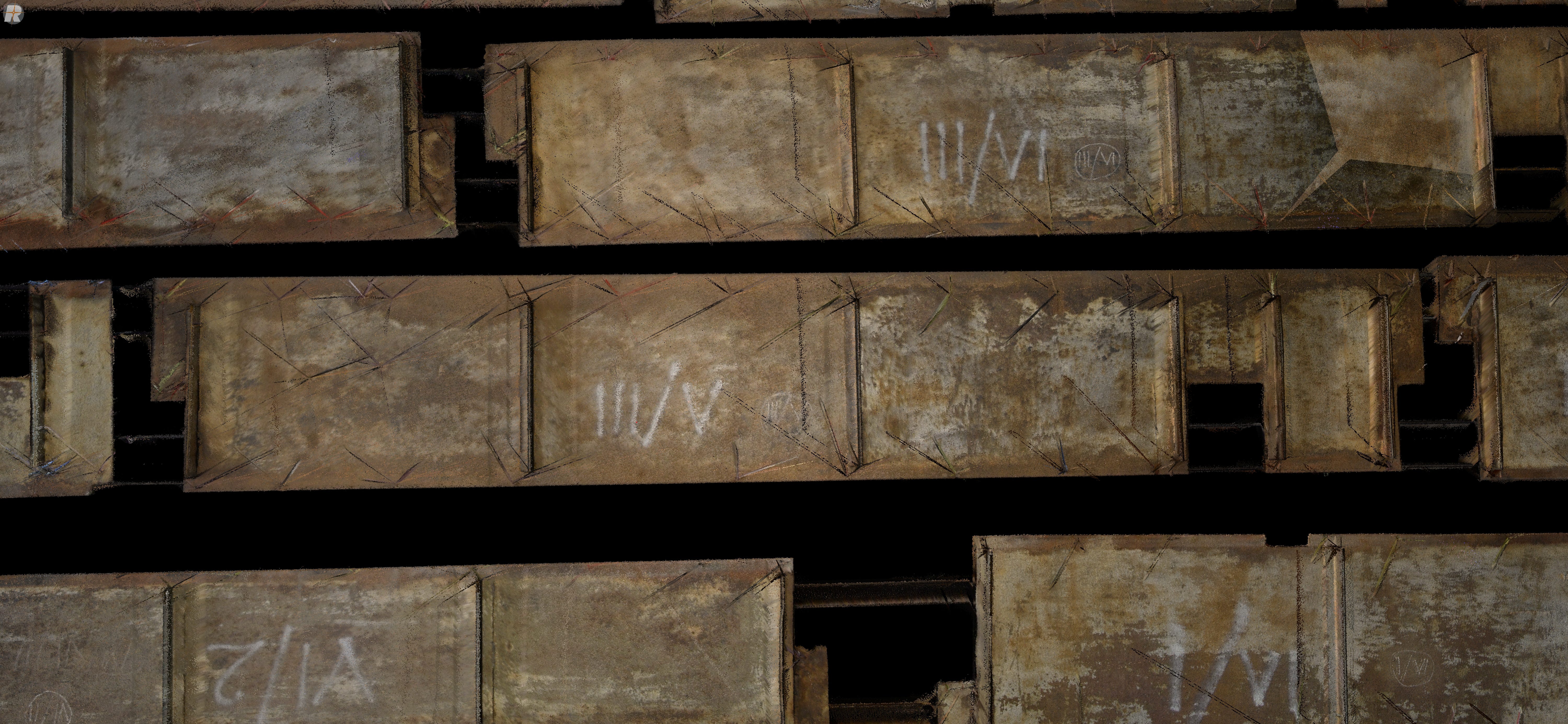
Before scanning, I arranged for all 75 steel plates to be placed side by side in the warehouse, leaving small gaps between them. The entire arrangement was captured as a single dataset rather than scanning each plate individually.
The plates were slightly elevated using long, rail-like supports to improve edge visibility and simplify point cloud processing.
This allowed me to use the Height Filter in RiSCAN PRO to separate the plates from the warehouse floor more efficiently.
Careful survey preparation significantly improved the subsequent data processing workflow.
Terrestrial Laser Scanning with the RIEGL VZ-400i
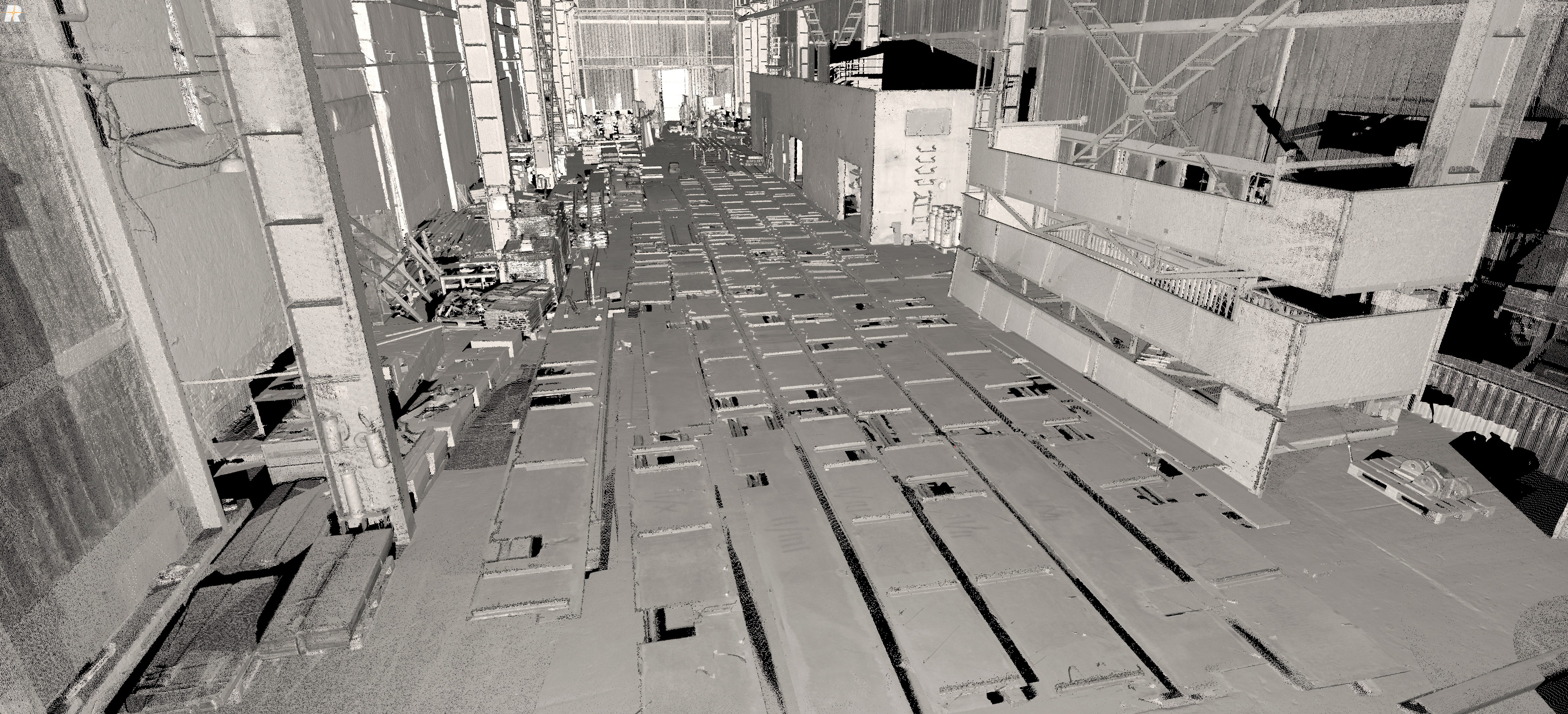
I captured the complete arrangement from 25 scan positions using the RIEGL VZ-400i terrestrial laser scanner.
To obtain a better viewing angle towards the horizontal surfaces and their edges, I adjusted the scanner tripod to its maximum practical height.
I also distributed the scan positions around the entire arrangement, allowing the plates to be captured from multiple directions.
This approach helped minimise occlusions and improved the visibility of the individual contours.
The result was a comprehensive point cloud dataset containing the geometry of all 75 steel plates.
Point Cloud Registration and Processing

The acquired data was processed in RiSCAN PRO.
The first stage involved automatic registration of the individual scan positions, followed by Multi Station Adjustment (MSA2) to refine their alignment.
Once the registration was complete, I performed several point cloud cleaning operations, including reflectance-based and deviation-based filtering.
The elevated arrangement of the plates also made height-based filtering particularly useful for separating the relevant surfaces from the warehouse floor.
After completing registration and cleaning, the point cloud was ready for geometric extraction.
The workflow followed a clear sequence:
Laser Scanning → Automatic Registration → MSA2 → Point Cloud Cleaning → Contour Extraction
From Point Cloud to CAD Geometry

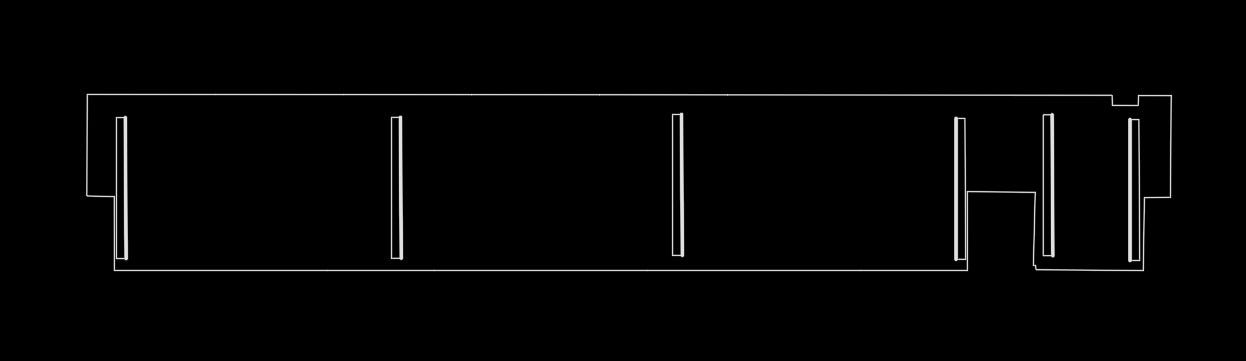
Using the Create New Polyline function in RiSCAN PRO, I traced the individual contours of all 75 steel plates directly from the registered point cloud.
Each polyline was exported separately in DXF format and opened in Autodesk AutoCAD for final processing.
I converted the outlines into two-dimensional geometries by setting all vertices to Z = 0 and ensuring that each contour formed a closed polyline.
Finally, I saved each element as an individual DWG file, maintaining its original identification number for manufacturing.
Geometric Reconstruction: When the Measured Shape Was Not Enough
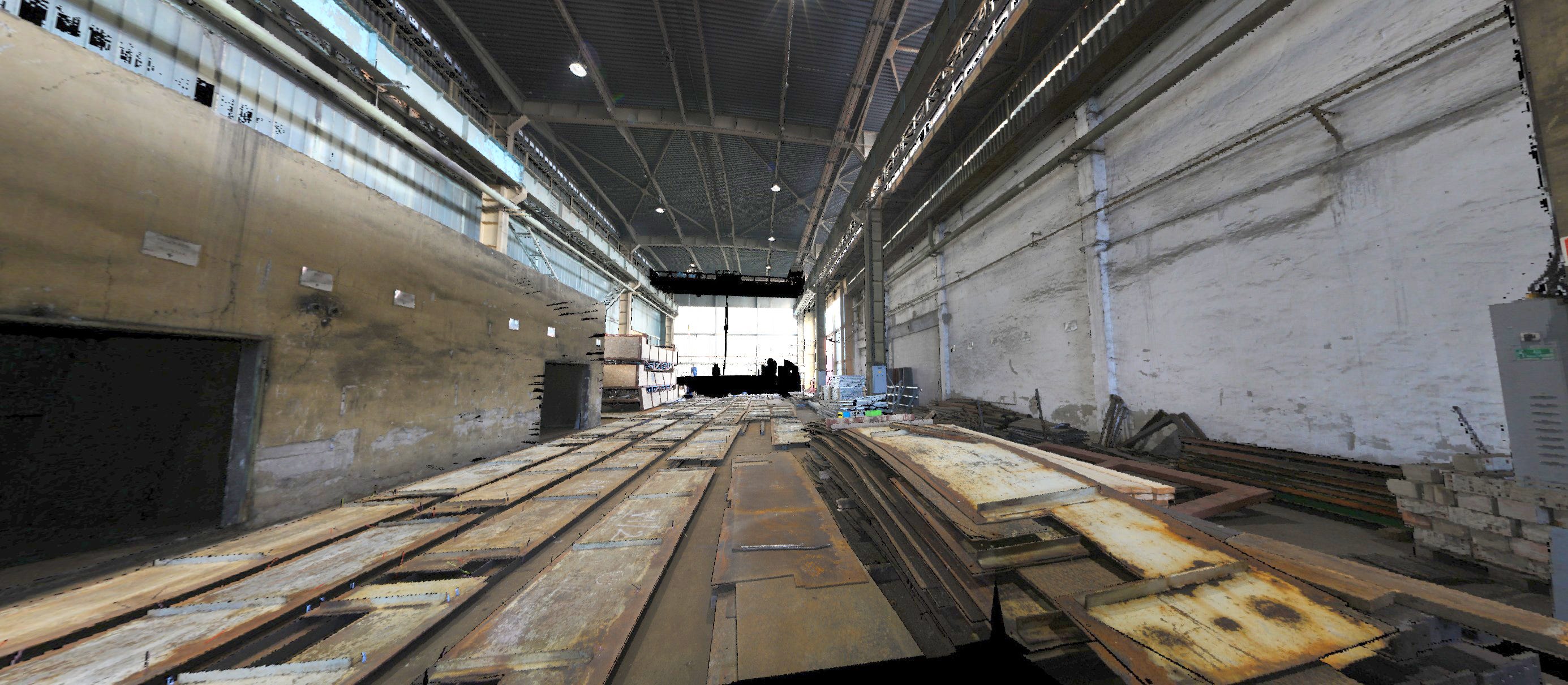
One of the key challenges was reconstructing damaged or incomplete plate geometries. Some elements had deformed edges, damaged corners or missing contour sections that could not simply be traced from the point cloud.
Using adjacent undamaged edges as references, I reconstructed missing sections and corrected corners where the original right-angle geometry was clearly identifiable.
These adjustments were made in AutoCAD, using the point cloud as the primary reference.
The goal was not to redesign the plates, but to combine accurate measurements with practical experience to produce reliable geometries for manufacturing.
Laser scanning captures the existing geometry. Turning that information into manufacturing-ready CAD data requires additional technical judgement.
Quality Control and Geometric Verification
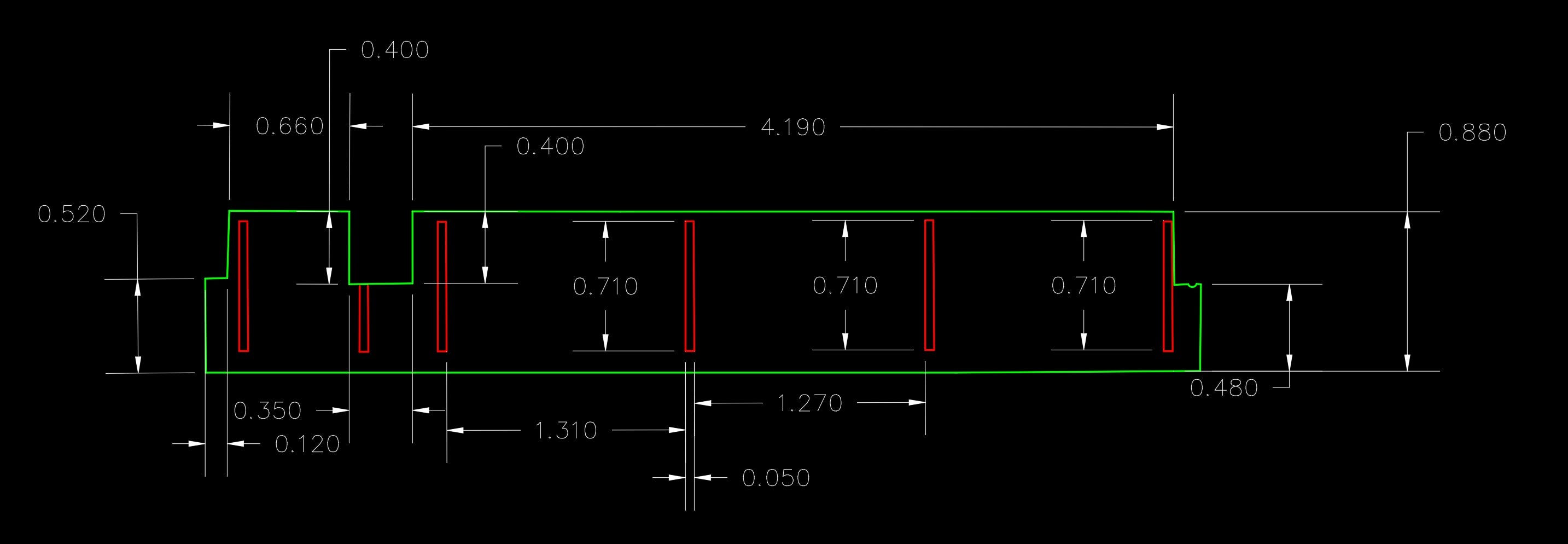
Every steel plate drawing underwent individual geometric verification. I compared multiple dimensions measured directly in the point cloud with the corresponding AutoCAD geometry.
I also verified that each contour formed a closed polyline with all vertices positioned at Z = 0. AutoCAD’s area calculation provided an additional check of the closed planar geometry.
No DIM annotations were required, as the contractor needed accurate CAD outlines containing the actual shapes and dimensions for manufacturing.
Results and Deliverables


The final delivery consisted of 75 individual AutoCAD DWG files, each representing a numbered steel plate and its reconstructed geometry.
The contractor used these drawings to manufacture and successfully install the replacement plates without geometric fitting problems.
The client was fully satisfied with the results, demonstrating the practical value of accurate laser scanning and Scan-to-CAD workflows for complex steel components.
Final Deliverables
75 individual DWG drawings.
Geometric outlines corresponding to the original plate identification numbers.
Closed, two-dimensional CAD polylines.
Reconstructed contour sections where the original geometry was damaged.
The registered point cloud served as the source for geometric extraction and verification, while the final contractual delivery consisted of the individual DWG files.
What This Project Demonstrates
This project demonstrates how terrestrial laser scanning can support reverse engineering and the manufacturing of replacement steel components.
Success depended not only on the scanning technology, but also on careful survey planning, efficient point cloud processing, geometric reconstruction and individual quality control.
The key lesson is that reliable Scan-to-CAD work goes beyond converting points into lines. It requires technical experience to interpret complex geometries and deliver accurate, practical data for manufacturing.
Accurate measurement is the starting point. A usable engineering deliverable is the objective.
Technology and Methods
Equipment: RIEGL VZ-400i Terrestrial Laser Scanner
Software: RIEGL RiSCAN PRO, Autodesk AutoCAD
Methods: Terrestrial Laser Scanning, Automatic Registration, Multi Station Adjustment (MSA2), Point Cloud Filtering, Polyline Extraction, Geometric Reconstruction, Scan-to-CAD, Reverse Engineering, CAD Quality Control.
Planning a Multi-Site Reality Capture Project?
If you are working with multiple locations, point cloud datasets or a reality capture workflow that requires additional specialist support, I can help with defined technical tasks or broader project involvement.
